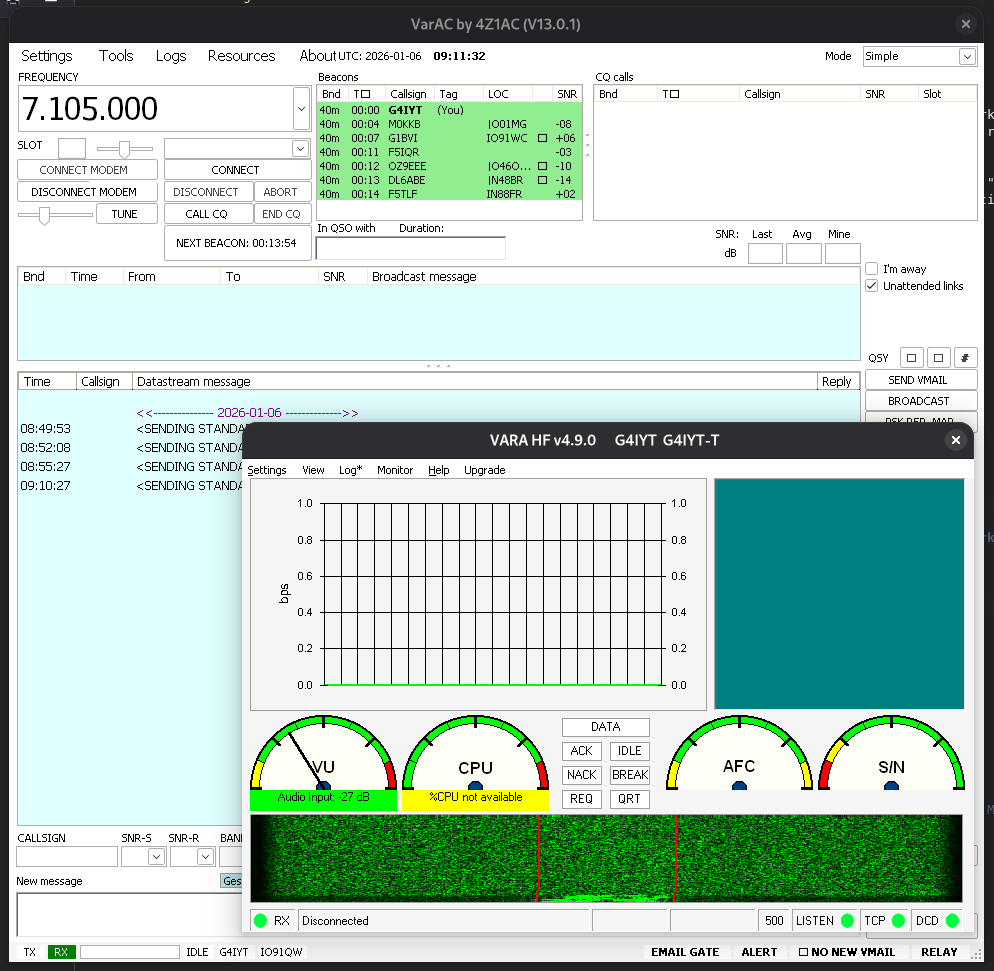
These are the steps required to run VarAC + VarA HF Modem on Debian 13 (trixie). Initially audio did not work for me for some reason, however it did appear to work again after a (unrelated) restart, so it may have been a red herring.
I did have several .NET runtime exception errors on the first start, these seemed to go away after enabling "Linux Compatible Mode", however be sure to install the font package first else it will create a lot more rnuntime errors!
VarA HF Modem
sudo apt install wine winetricks wine64 libwine fonts-wine libwine:i386 wine32- Download VarA HF Modem from https://downloads.winlink.org/VARA%20Products/
- Unzip an run
wine VARA setup (Run as Administrator).exe - Run through installer
wine regsvr32 /s ~/.wine/drive_c/VARA/OCX.*.OCXwinetricks vb6run
VarA Chat
sudo apt install mono-runtime ttf-mscorefonts-installer- Download and install a wine mono from https://dl.winehq.org/wine/wine-mono/10.4.1/
wine wine-mono-10.4.1-x86.msiwine VarAC_Installer_V13_0_1.exe- In settings enable "Linux compatible mode"
- Run with
wine ~/.wine/drive_c/VarAC/VarAC.exe